

Bilt Obsidian or Palladium
How to choose and open the card, set up rent or mortgage payments - and not lose points on the first payment.
A housing payment does not sit on your credit line. Bilt debits the full amount from your linked bank account - usually within 24 hours.
First choose your card, then your rewards mode
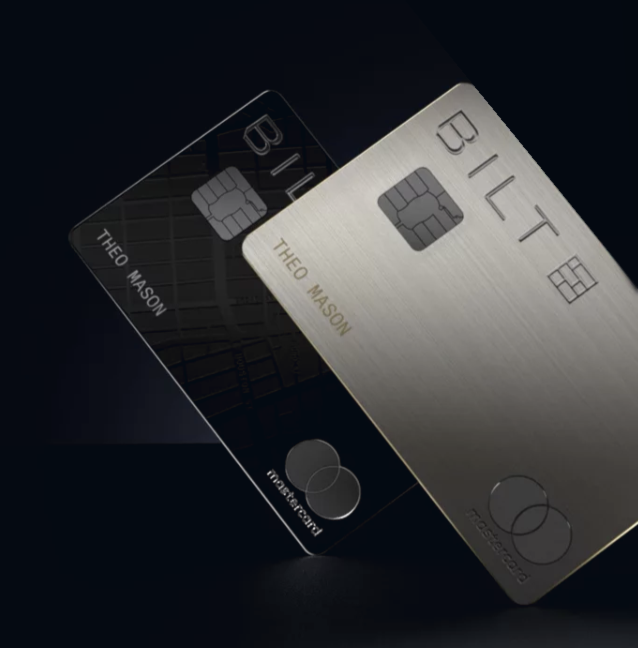
For housing payments both cards work the same way: you can pay rent, mortgage and HOA through Bilt with no transaction fee. The difference is the annual fee, what you earn on everyday purchases, and the extra benefits.
- 3X on dining or grocery - you pick the category for the year. With Points Boost on, grocery earns 4% on the first $25,000 of purchases per calendar year.
- 2X travel; 1X all other eligible purchases.
- $100 Bilt Cash per year (from 2027, replacing the Bilt Travel Hotel credit; deposited on your card anniversary, not January 1).
- Welcome offer: $200 Bilt Cash around the account open date (the terms on your screen may differ - check before you Submit).
- Bilt Cash is not cashback: you earn 4% on everyday purchases in Flexible Bilt Cash mode. Spend it inside the Bilt ecosystem or convert it into points for rent/mortgage. Note: from 2027, Flexible Bilt Cash mode is closed to new cardholders — new cards go housing-only. Existing cardholders (card opened by December 31, 2026) can keep the mode by opting out of the new benefits in card settings before their card anniversary; after opting out you cannot switch back.
- Turn on Points Boost as soon as you open the card.
Dining is selected by default. After approval you have 30 days to switch once to grocery; after that, once a year in January.
- 2X on all eligible purchases except housing payments; with Points Boost on - 3% on the first $25,000 per year.
- $600 Bilt Cash per year (from 2027, replacing the $200 Bilt Cash + $400 hotel credit; deposited on your card anniversary, not January 1).
- Welcome offer: $300 Bilt Cash at opening + 50,000 Bilt Points and Gold status after $4,000 in everyday spend within 90 days (the terms on your screen may differ - check before you Submit).
- Bilt Cash is not cashback: you earn 4% on everyday purchases in Flexible Bilt Cash mode. Spend it inside the Bilt ecosystem or convert it into points for rent/mortgage. Note: from 2027, Flexible Bilt Cash mode is closed to new cardholders — new cards go housing-only. Existing cardholders (card opened by December 31, 2026) can keep the mode by opting out of the new benefits in card settings before their card anniversary; after opting out you cannot switch back.
- Priority Pass lounge access.
- Turn on Points Boost as soon as you open the card.
The premium card only makes sense if you actually use the credits and value 3% on everyday spend with the boost on.
How to decide in two minutes
| Your scenario | The rational choice |
|---|---|
| Spending at supermarkets or grocery stores | Obsidian, if one 3X category covers most of your spending. |
| Large spending outside bonus categories | Palladium, if the extra 1X and the credits outweigh the $495. |
| You only want rewards for housing | Do not overpay for the tier: work out the annual value of the benefits first. |
| A couple - P1 has Palladium, P2 has Obsidian | The strongest scenario: P2 earns 4% on groceries with Obsidian, P1 earns 3% on all other spending with Palladium. In both cases the limit is $25,000 per year (with Points Boost on). |
Apply only after checking your personal offer
Bilt Cards are issued by Column N.A. and serviced by Cardless. A member can hold only one Bilt Card at a time.
Open the link and sign in to Bilt
Use the referral link for the Bilt Card. Create a Bilt account or sign in to your existing one.
Choose Obsidian or Palladium
Compare the annual fee, welcome offer and spending requirement on your screen specifically. An alternate offer may differ from the public terms.
Complete the credit application
Enter your details exactly as they appear in your credit report: name, address, date of birth, Social Security Number and the financial information requested. If your credit files are frozen, unfreeze them before applying.
Save proof of the offer
Before you Submit, take screenshots of the page showing the bonus, spending requirement, deadline, annual fee and rates. After approval, save your Account Open Date.
After approval, set up the card
Activate the card, add it to your mobile wallet and choose your rewards option. Paying the card and paying for housing are two different payments.
How to activate Points Boost
In the Bilt app this feature is called Points Accelerator.
- Open the Bilt app and go to the Bilt Cash section - redemption options.
- Select Points Accelerator and confirm the $200 Bilt Cash deduction.
- Get +1X points on your next $5,000 of everyday spend (housing does not count): Palladium - 3X everywhere, Obsidian - 4X on grocery/dining.
- You can repeat this up to 5 times per calendar year - up to $25,000 of boosted spend in total.
- Each activation is manual - there is no auto-renewal; you can track progress in the app. Any unused limit expires at the end of the calendar year.
Public terms as of Nov 2, 2026
Obsidian: $200 Bilt Cash around the account open date, unless a different offer is shown on your screen.
Palladium: $300 Bilt Cash at opening; 50,000 Bilt Points and Gold status after $4,000 in everyday spend within 90 days, unless a different offer is shown on your screen.
What does not count as spend
Housing payments do not count toward the $4,000 for Palladium. Returns, cash-like transactions, person-to-person payments and other excluded transactions also do not help meet the requirement. Tax payments earn no points and do not count toward the requirement.
What counts toward the welcome bonus
Regular purchases of goods and services made with the card count (minus returns).
What counts
- groceries, dining, gas and everyday spending
- travel, hotels and car rentals
- utilities and bills
- insurance — home, auto and others
- subscriptions and online purchases, including eBay and Facebook Marketplace
What does not count
- rent and mortgage paid through Bilt — expressly excluded from the Palladium bonus threshold
- balance transfers and special transfers
- cash advances and cash-like transactions: money orders, wire transfers, traveler's checks
- prepaid cards and gift cards
- person-to-person payments: Venmo, PayPal, Cash App, Zelle
- tax payments
- cryptocurrency purchases
- fees and interest charged to the card, including the annual fee
- lottery tickets, casino gaming and betting
- checks that access your card account
Check whether you have an upgrade offer to Palladium
Since September 18, 2026, Bilt has been rolling out product changes in phases (Beta, for select cardholders) with no new application: Blue → Obsidian or Palladium, Obsidian → Palladium. Eligibility is set card by card: an offer may exist for one card and not for another.
Follow the card menu path
Log in to your Bilt account and go: Wallet → Manage Card → Rewards → Bonus Rewards.
Look for the Upgrade offer
If you have an upgrade offer, it appears on the Bonus Rewards page. Select Palladium: the upgrade bonus, annual fee and all terms are shown on screen before you confirm. Screenshot the offer.
If there is no offer
There is no offer right now. Bilt reviews eligibility regularly — check back later. An upgrade cannot be requested manually.
What an upgrade to Palladium gives you
- Upgrade bonus: 50,000 Bilt Points and Gold status after $4,000 in everyday spend within 90 days of the product change; the Bilt Cash amount is whatever your on-screen offer shows.
- Your account, credit history and all points carry over; no new application and no hard inquiry.
- Annual fee: the full Palladium fee is charged; the old card's fee is refunded in full (if the change is within 30 days of it posting) or prorated — about 45 days later.
- Hotel credits: on upgrading to Palladium, the credit difference for the same period is issued right away, less anything already received on the old card.
Limits
No upgrade before your first statement closes. One product change per rolling 12 months. Only the primary cardholder can request it; authorized users move to the new card automatically. Downgrades go through Cardless Support: (888) 533-5576.
Choose one of the two modes before your first payment
The same housing payment can earn a different number of points. The setting applies to the whole billing cycle, not just the payment day.
Points are earned automatically
How many points you earn for housing depends on how much everyday spending posted in the same billing cycle, and on the size of the housing payment.
| Everyday purchases, % of the housing payment amount | Points for housing |
|---|---|
| under 25% | 250 points |
| 25% or more | 0.5X |
| 50% or more | 0.75X |
| 75% or more | 1X |
| 100% or more | 1.25X |
4% Bilt Cash on everyday purchases
On top of the card points, you earn Bilt Cash. You can use it inside the Bilt ecosystem or convert it into points for rent/mortgage at a rate of up to 1X - but only at the moment you pay for housing, and only in proportion to the payment amount.
Rate:
$30 Bilt Cash → 1,000 points
Example: For a $2,000 payment you will need $60 Bilt Cash to get the full 2,000 points.
Important: you cannot simply convert $600 Bilt Cash into 20,000 points - conversion only works together with a housing payment, and only up to the size of that payment.
Which mode should you choose
- Housing-only - if your goal is automatic points for housing and you are ready to put at least 25-100% of the housing payment amount in everyday spend on the card.
- Flexible Bilt Cash - more flexible, it allows uneven spending on the card. It unlocks extra options (Points Boost, Points Transfer Boost, Helicopter ride and more). From 2027 it is available only to existing cardholders who opt out of the new benefits before their card anniversary (card must be opened by December 31, 2026); new cardholders cannot choose this mode.
- If you choose nothing during onboarding, the default mode is Housing-only.
Add your home and choose the payment type
Go through these screens in order. For a direct UWM mortgage connection you will need to match the details against your mortgage documents.
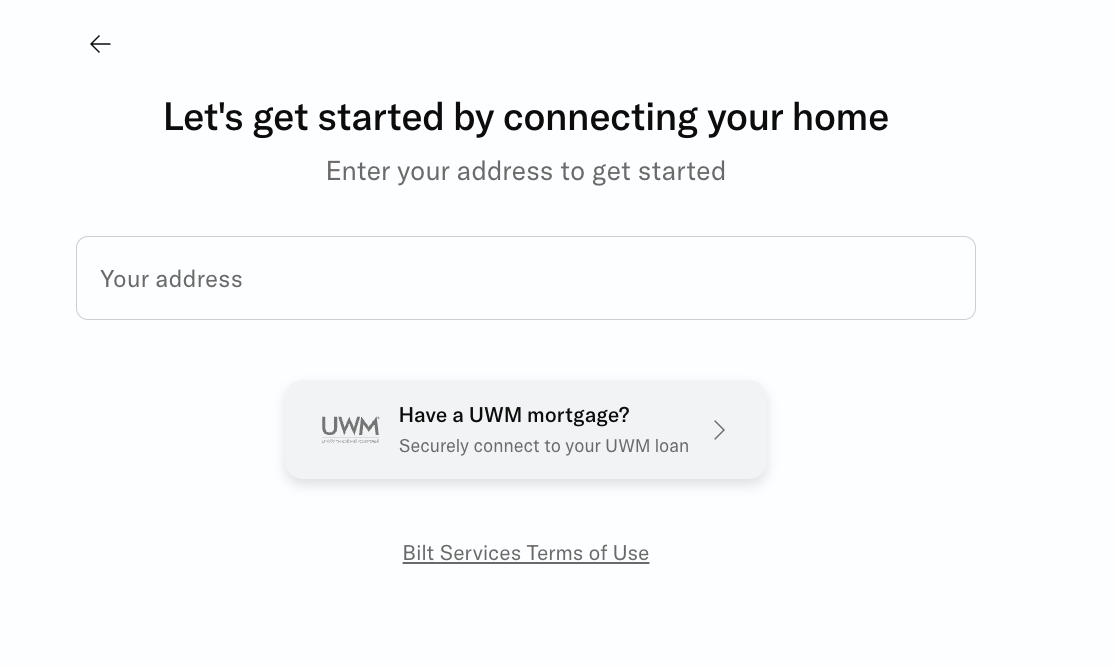
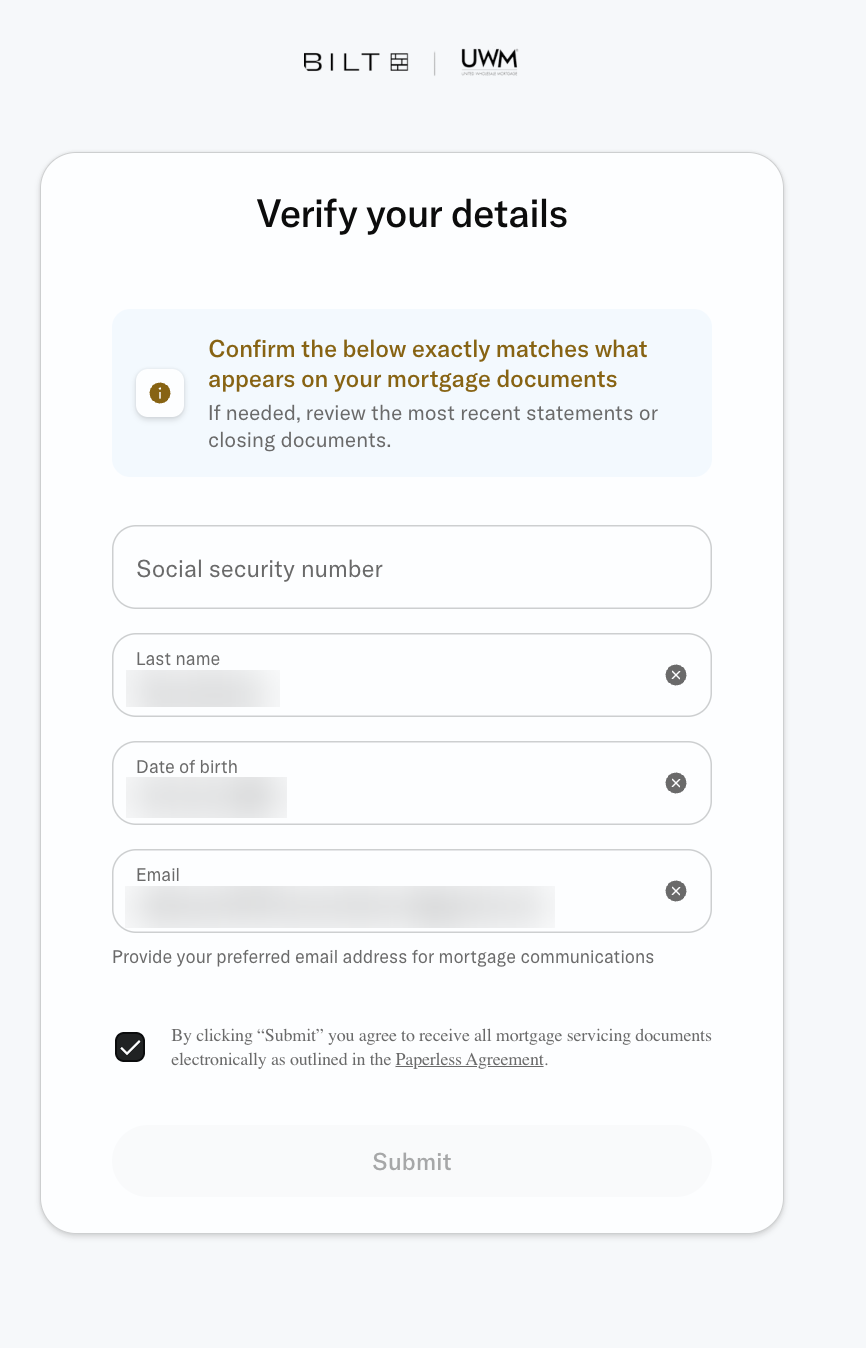
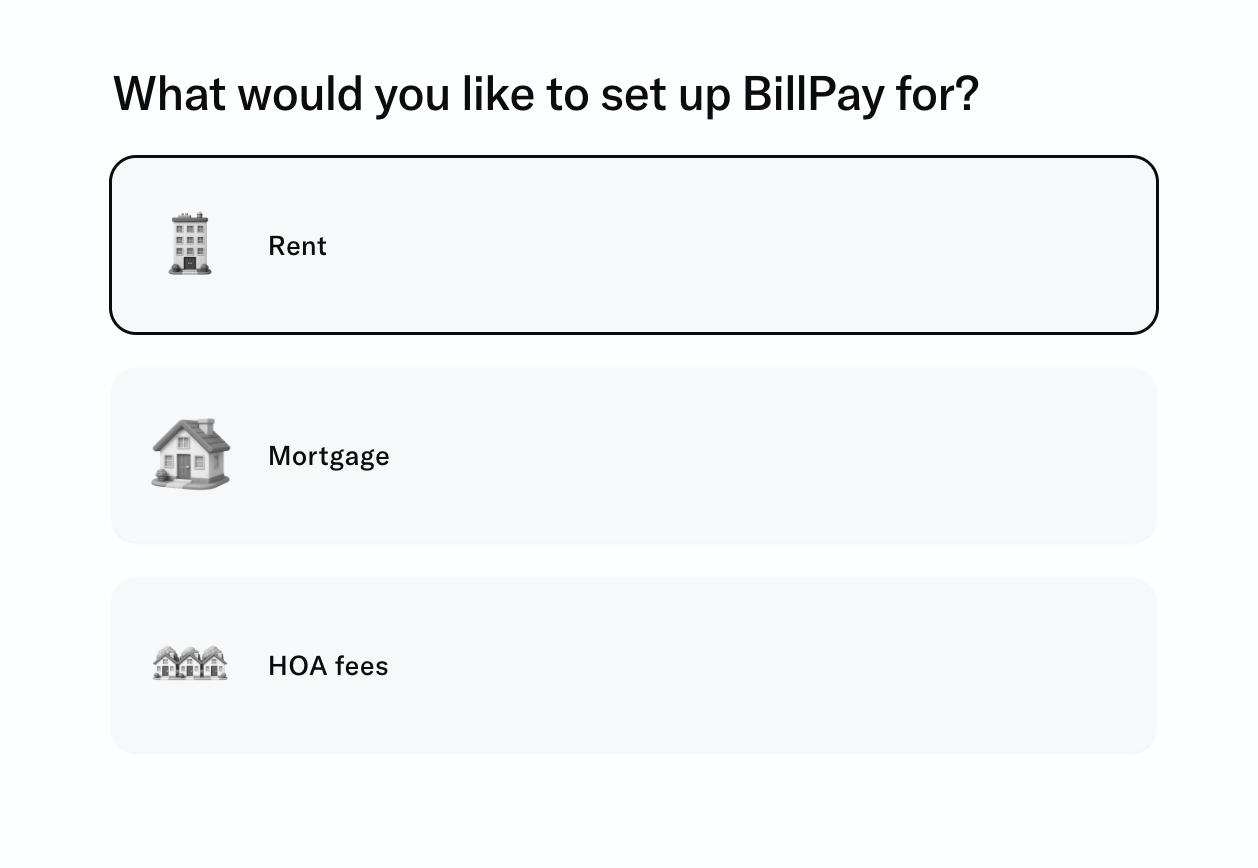
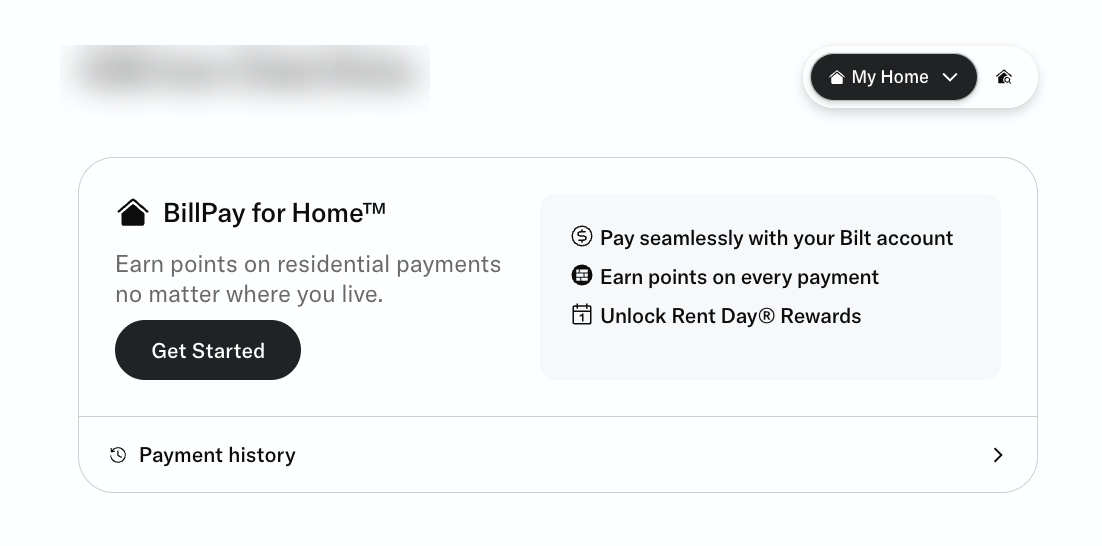
The interface may look slightly different depending on your housing type and the payment method available.
Choose the route and confirm BillPay
The options available depend on whether you are paying rent or a mortgage, and on which methods the recipient accepts.
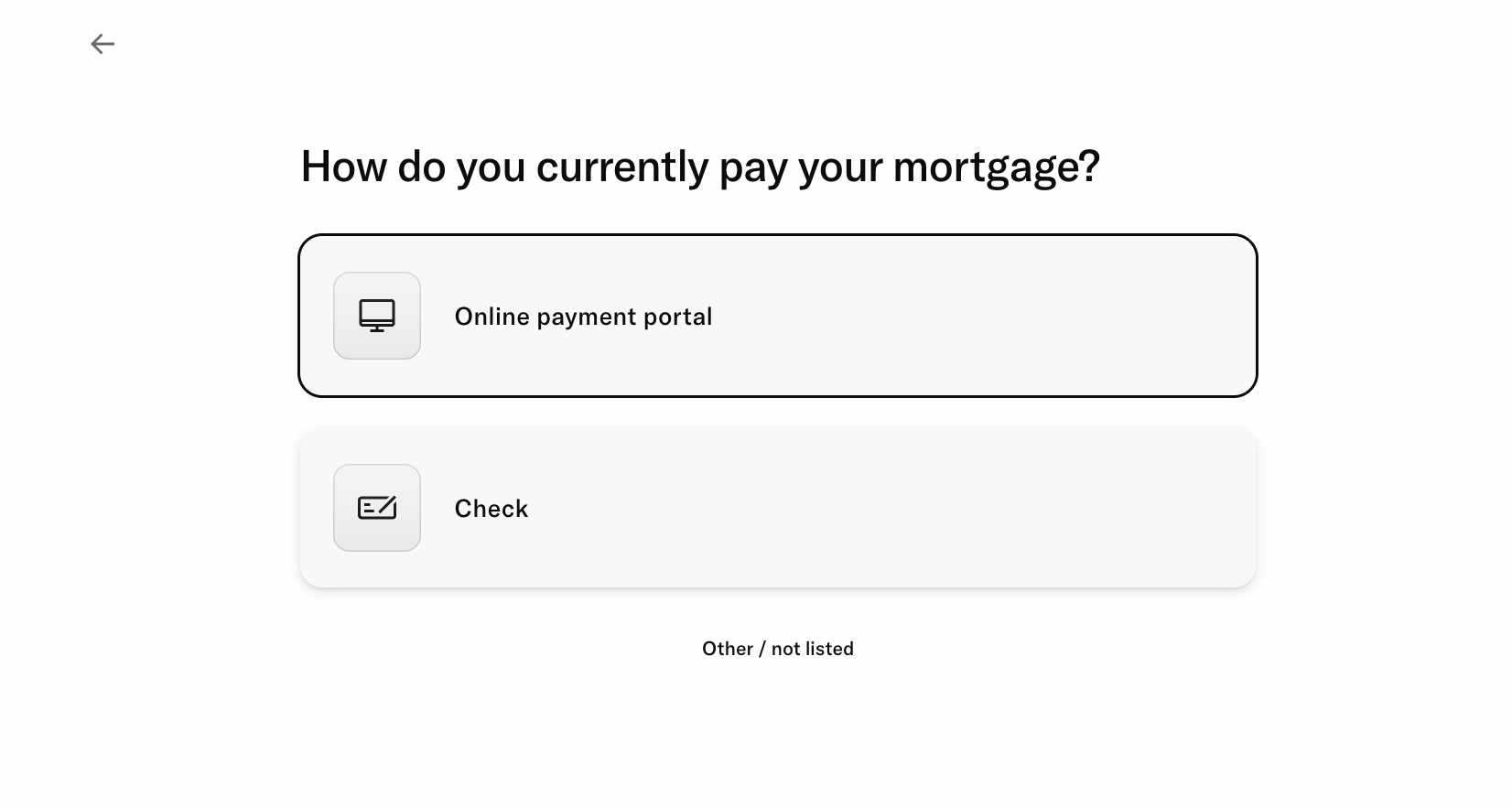
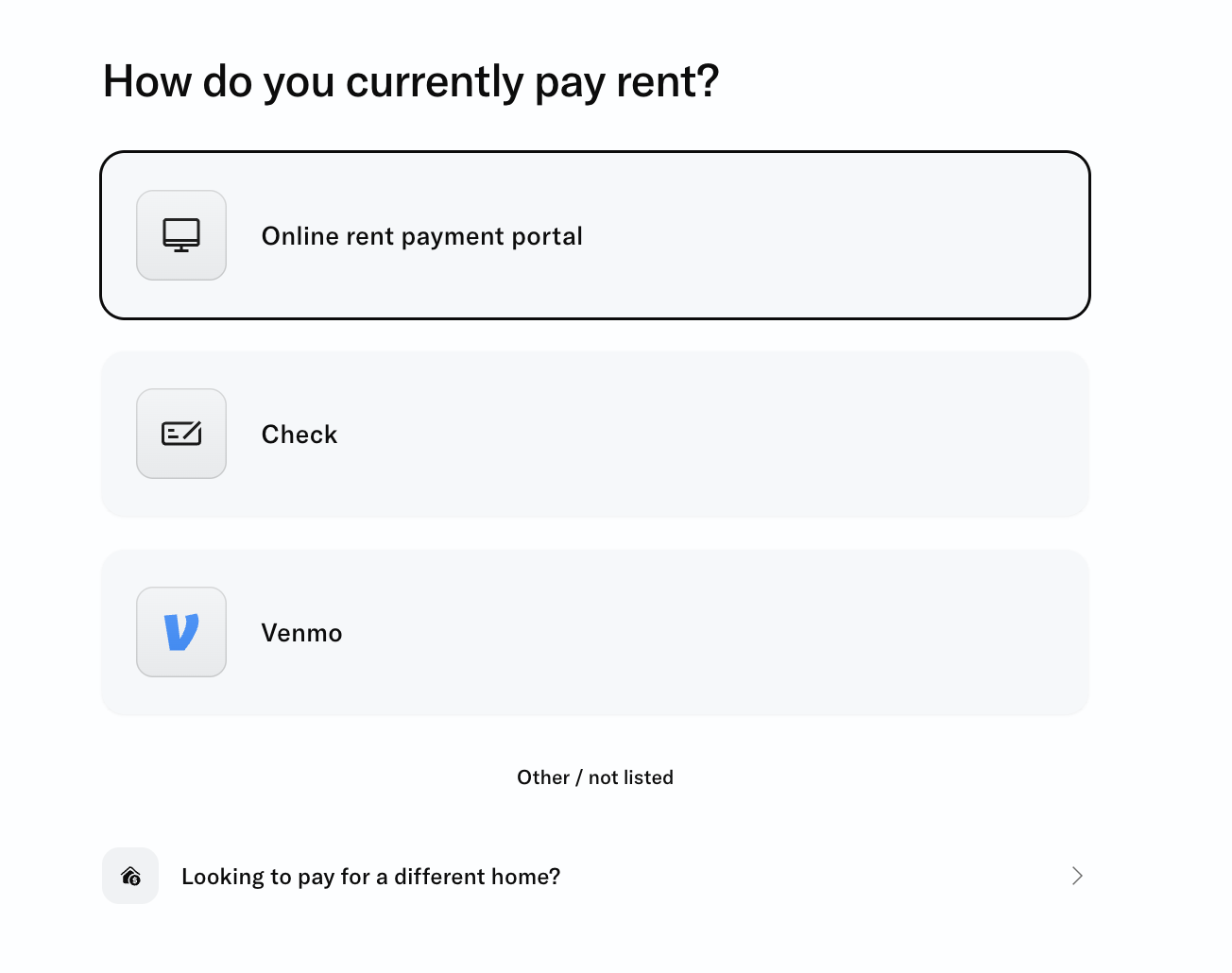
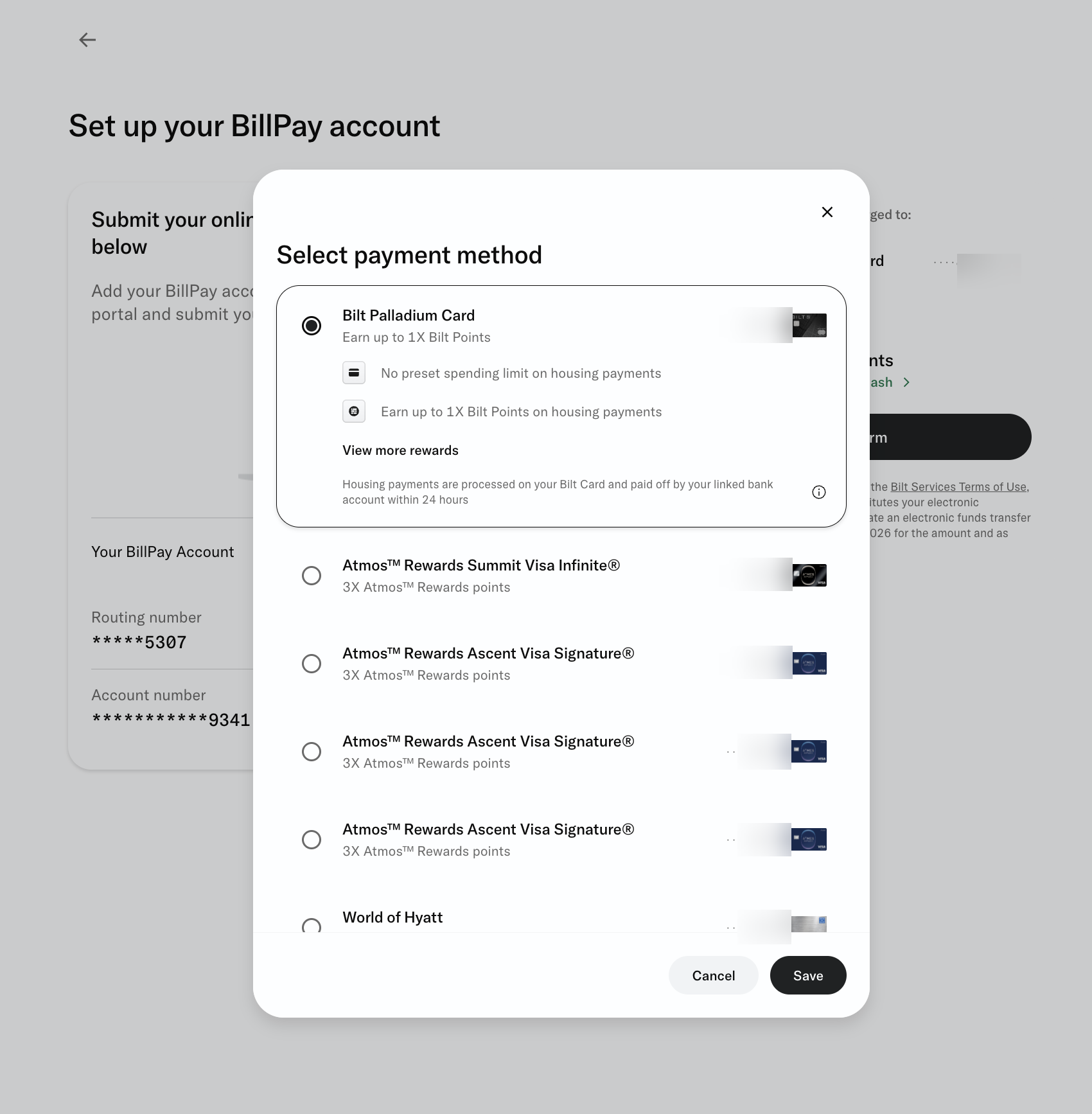
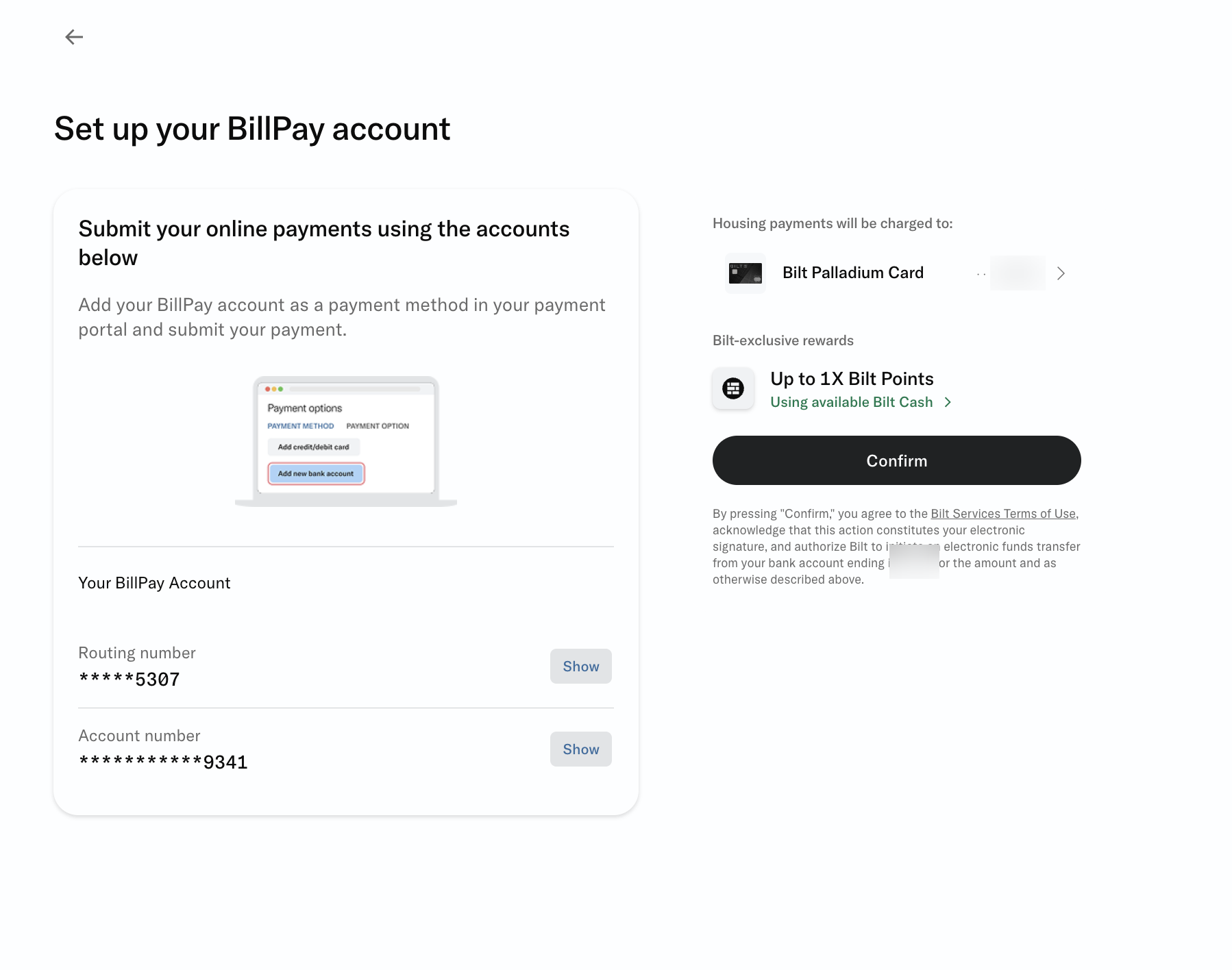
A housing payment does not use your credit line: Bilt debits the full amount from your linked bank account, usually within 24 hours.
Make your first payment manually and complete five checks
Recipient
The exact name of the property manager or mortgage servicer, and the correct property/loan.
Amount and date
Check the due amount, fees and delivery date. For a check, allow extra time for mail.
Bank account
Check the linked checking account and make sure the available balance is sufficient for the next 24 hours.
Rewards option
Make sure Housing-only or Flexible Bilt Cash is active - the mode you planned for.
Two confirmations
Check the status in Bilt and separately with the landlord/servicer. Save the confirmation.
After the statement closes
- Check how many points were earned for housing.
- In Housing-only, compare the everyday spend ratio with the tier you expected.
- In Flexible Bilt Cash, check the redemption and your remaining Bilt Cash balance.
If something goes wrong
| Situation | What to do |
|---|---|
| Payment pending for too long | Do not send a duplicate. Check the linked bank and ask Bilt support about the status. |
| The servicer does not see the payment | Provide the confirmation and ask for the received/posted date; if there is a risk of a late fee, use a safe backup method. |
| Only 250 points were earned | Check the billing cycle and posted everyday spend: purchases after the statement closes count toward the next cycle. |
| No debit from the bank | Keep the full amount available and contact Bilt. |
Your setup is ready if every item is checked
Card
- Dining or grocery is selected for Obsidian.
- The $4,000 spend deadline is noted for Palladium.
Housing
- A rewards option is selected.
- The bank account is linked and funded.
- The recipient, amount and due date are checked.
- The first payment is confirmed with the landlord/servicer.
Official sources
- Bilt Card 2.0 Program Overview - cards, rewards options, benefits, housing payments and autopay.
- Bilt Rewards Card Offer Terms, updated September 18, 2026 - bonuses, earning rates, exclusions and credits.
- What is BillPay? How does it work? - ways to pay rent, mortgage and HOA outside the Bilt Alliance.
- Bilt Cards Rates & Fees - annual fee, APR and other fees.
- Referral link to apply.
Important. Card terms and the app interface can change. Before applying and before every large payment, check the offer, rates, fees and the confirmation screen in Bilt. This guide is for information only and does not replace the issuer terms or advice on your financial situation.
Terms: annual fee - the yearly card fee; everyday spend - ordinary eligible purchases excluding housing payments; billing cycle - the period between statement closing dates; servicer - the company that accepts your mortgage payment.
Keep this checklist until your first statement closes.